Design it once. Make it fit.
PrintCut is a maker studio in your browser. Pick a template, set the size and your material, check it in 3D, and download a file your laser cutter understands. No CAD to learn.
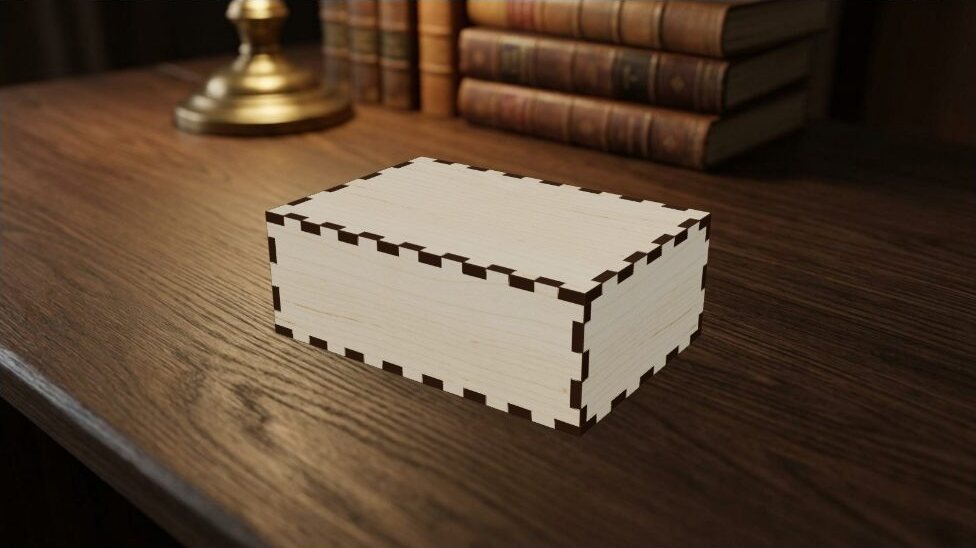
- Size
- 110 × 75 × 40 mm
- Material
- Birch plywood, 3 mm
- Parts
- 6
Change a size. Every part redraws.
Drag the width, depth or height and watch the six parts of a finger-joint box follow, joints included. Type a name and it is engraved on the lid. This is what the editor does with every template.
6 parts · 3 mm birchCut path 3.27 m
From idea to file
Pick a starting point
A finger-joint box, a hinged box, a name puzzle, or your own artwork brought in from SVG, PDF, DXF or a picture.
Make it yours
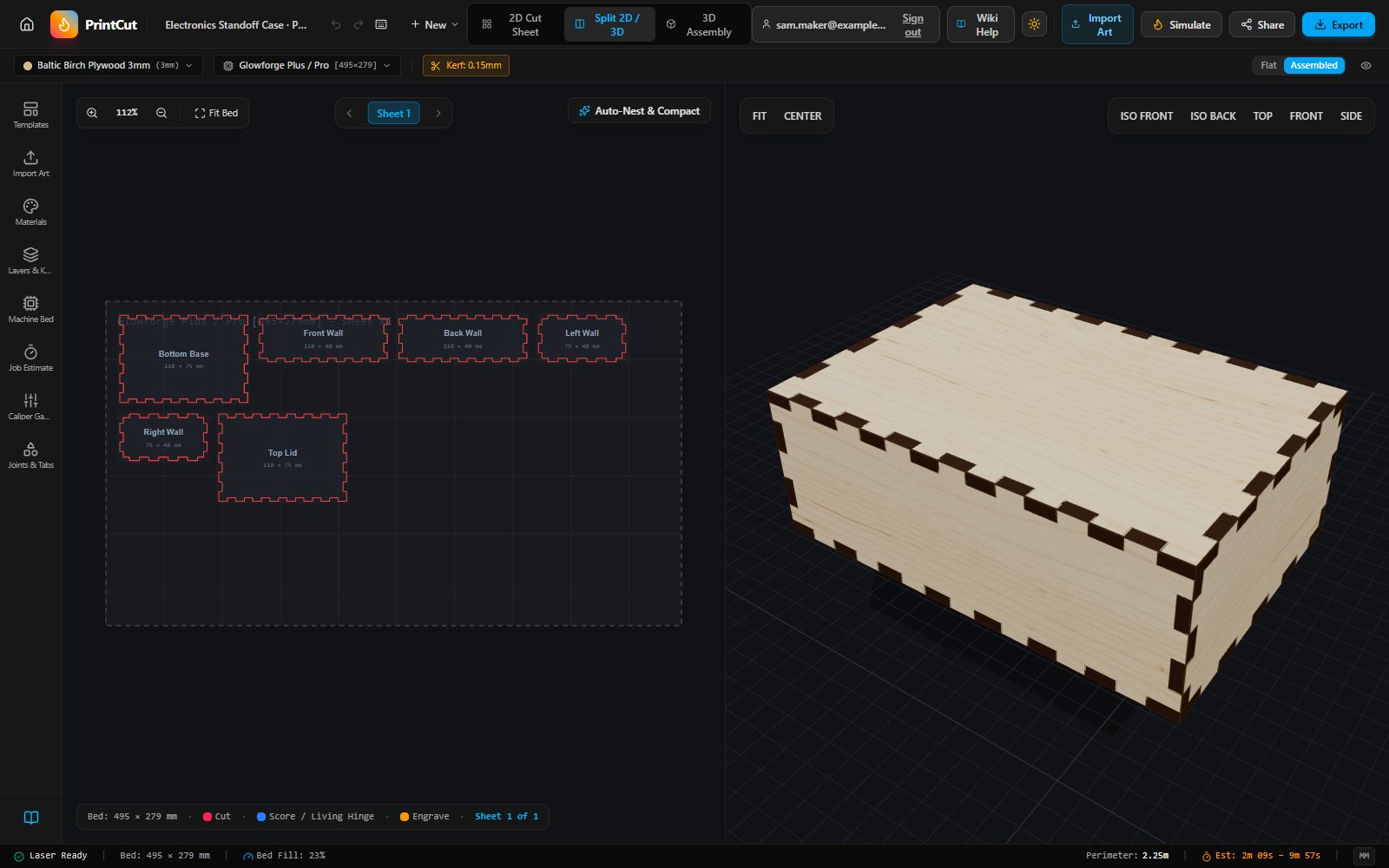
Set the size, the material thickness and your laser's kerf. Add names and text. The joints and the 3D view follow along.
Download and make
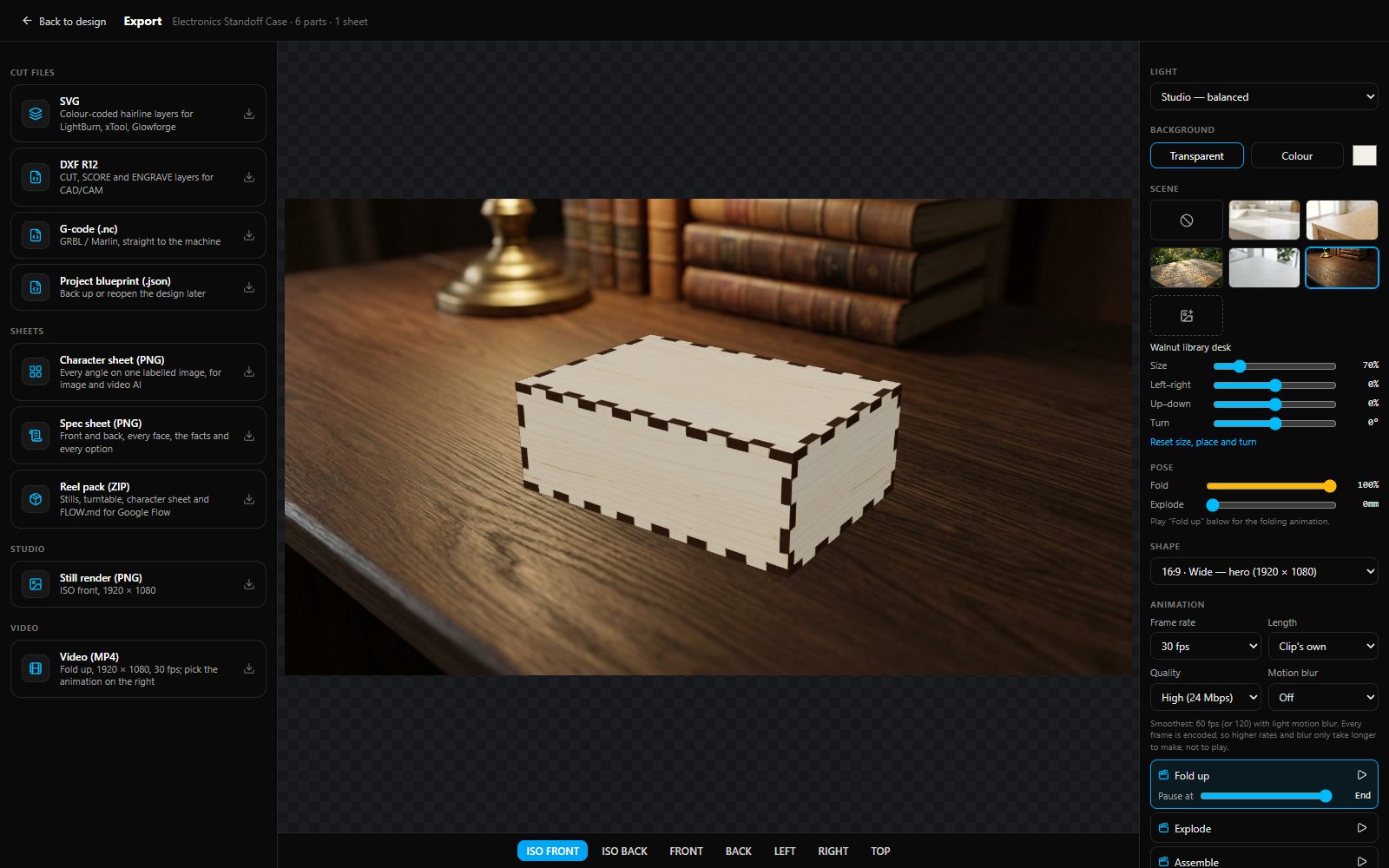
SVG with colour-coded layers for LightBurn, xTool or Glowforge, DXF for CAD, or G-code for GRBL and Marlin machines.
For laser owners
If you own a Glowforge, an xTool, or any laser you run through LightBurn, PrintCut is for you. You say what you want to make, and it draws the parts, the joints and the fit.
For makers who sell
A new size or a new name in minutes. See the cut time before you commit, let the parts pack onto your sheet, and make listing pictures from the same design.
For schools and makerspaces
Nothing to install on shared computers. Students see the finished piece in 3D before any material is cut, and their projects are saved to their own accounts.
Templates from makers
Every published template is checked by a person first, and the maker who sent it in is named as its creator. Resize any of them to fit what you need.


Make something that fits.
Creating an account is free.